Solana Staking Tutorial
Overview
We will demonstrate how to stake SOL on Goldshell Stake.
Website: https://stake.goldshell.com/solana
I. Connect Wallet
- Go to Goldshell Stake and select Solana.
- Connect your Solana wallet.
Tip: Make sure your wallet has enough SOL for staking and transaction fees.
II. Smart Staking
Smart Staking is the recommended path. Goldshell Stake will allocate your SOL based on your selected risk preference and investment period.
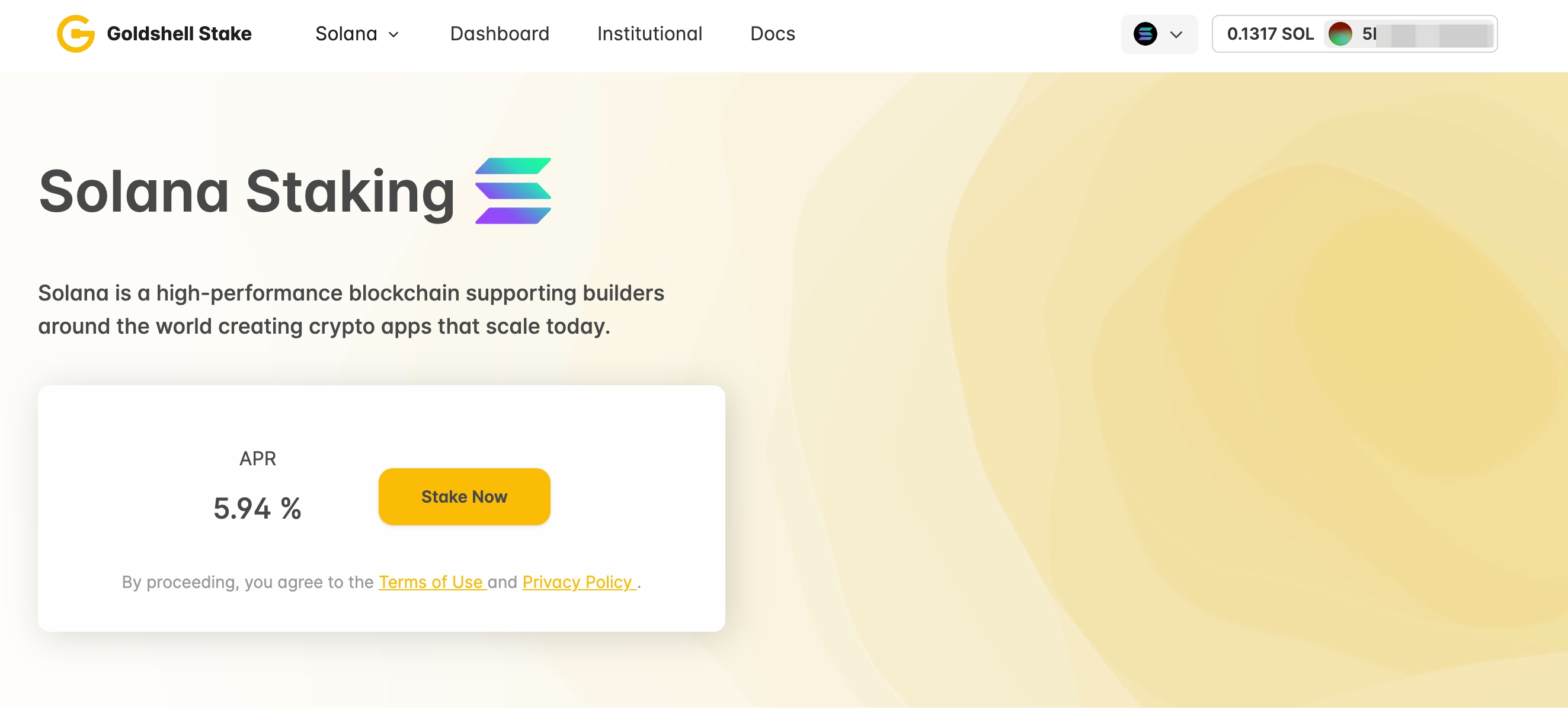
- Click Stake Now on the Solana page.
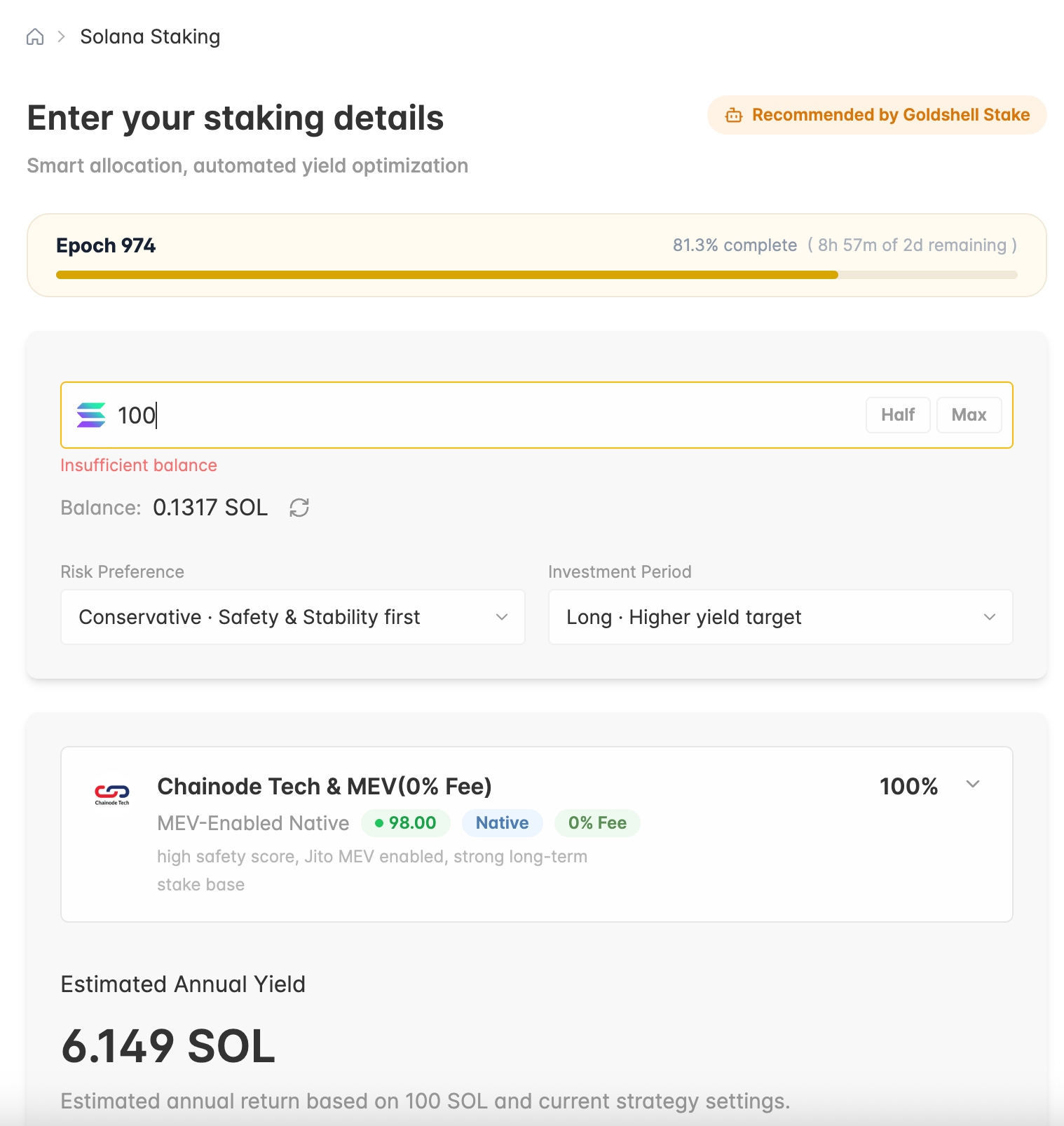
- Enter the amount of SOL you want to stake.
- Choose your Risk Preference and Investment Period.
- Review the estimated annual yield and allocation details. When ready, continue and confirm the transaction in your wallet.
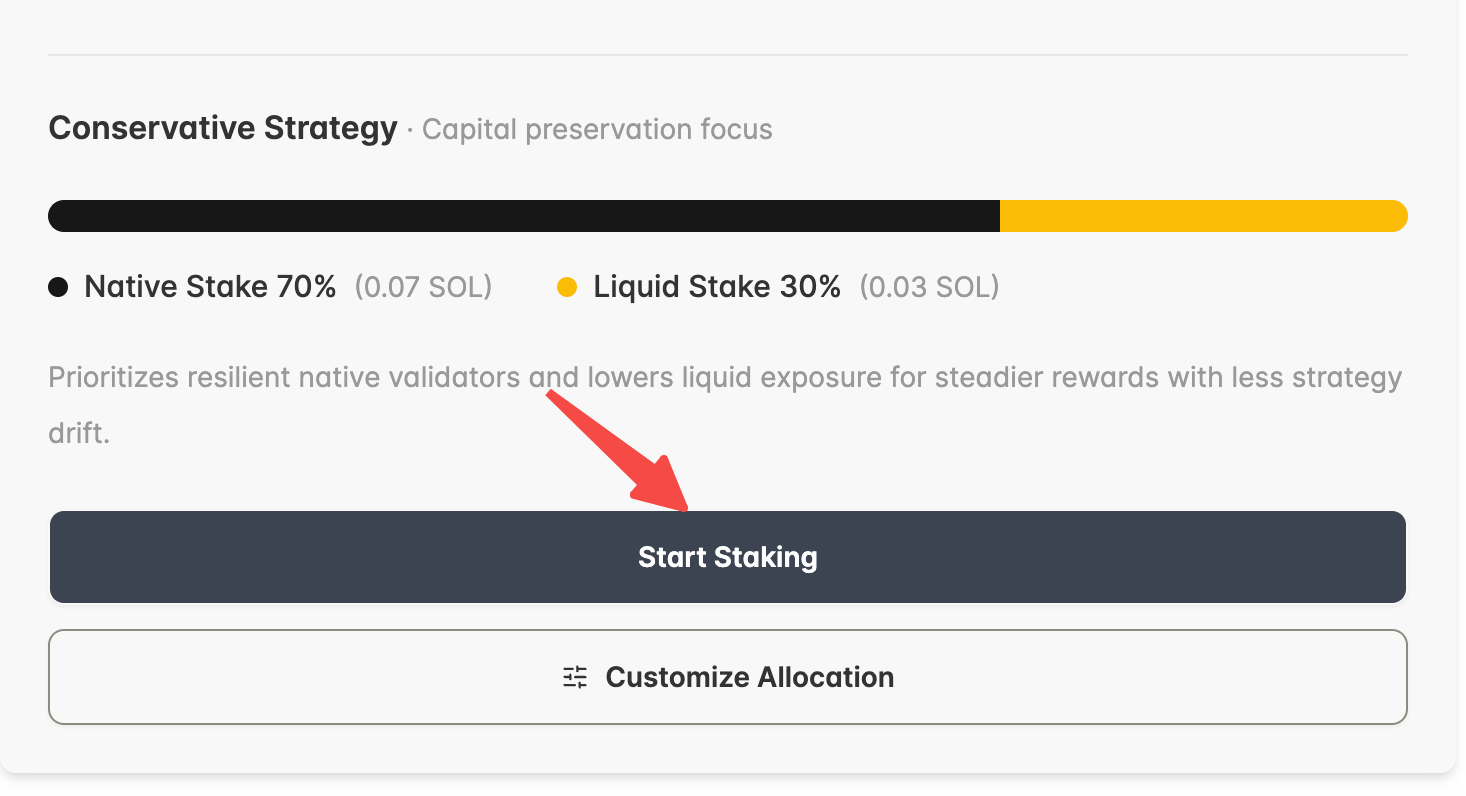
- Review the suggested allocation, then click Start Staking.
III. Customize Allocation
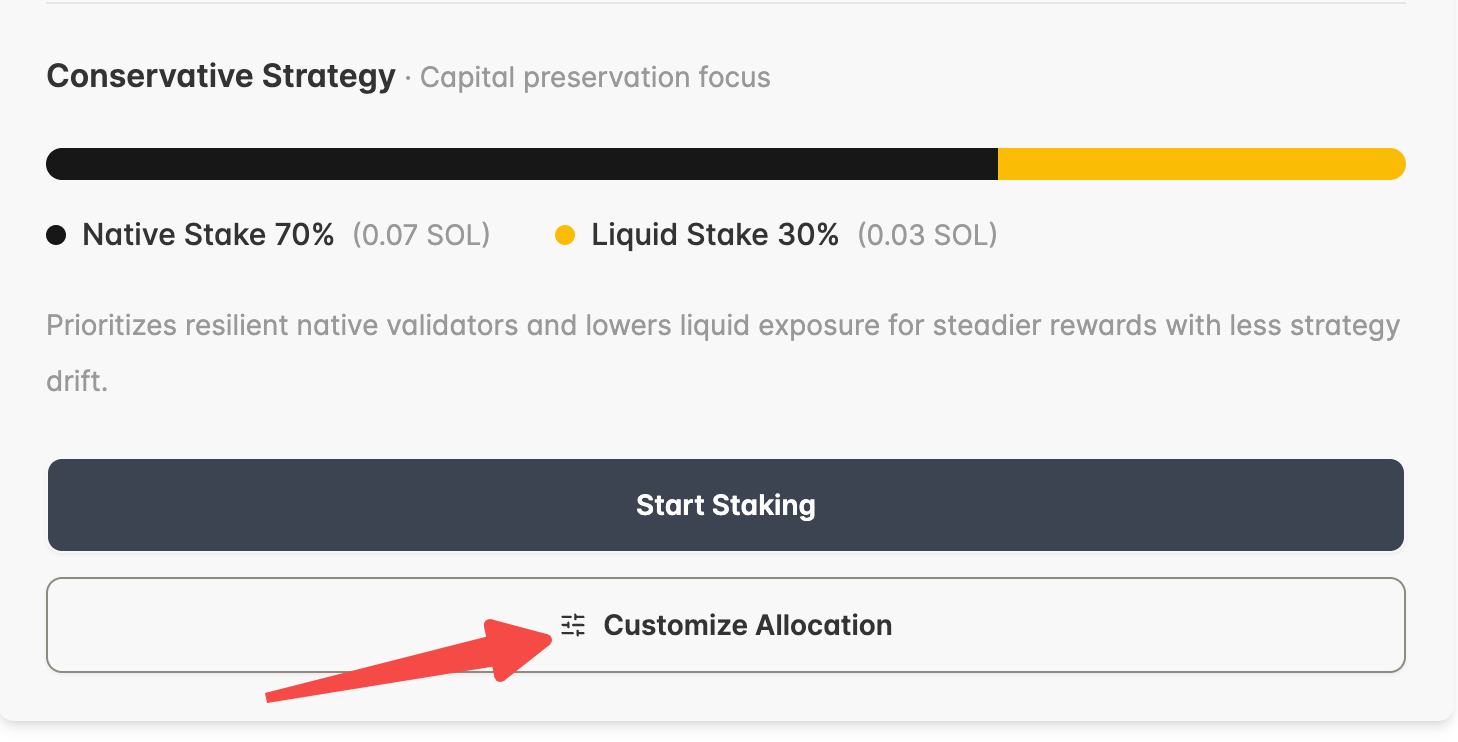
If you prefer to choose validators or liquid staking tokens manually, use Customize Allocation.
- Click Customize Allocation.
- Enter your SOL amount.
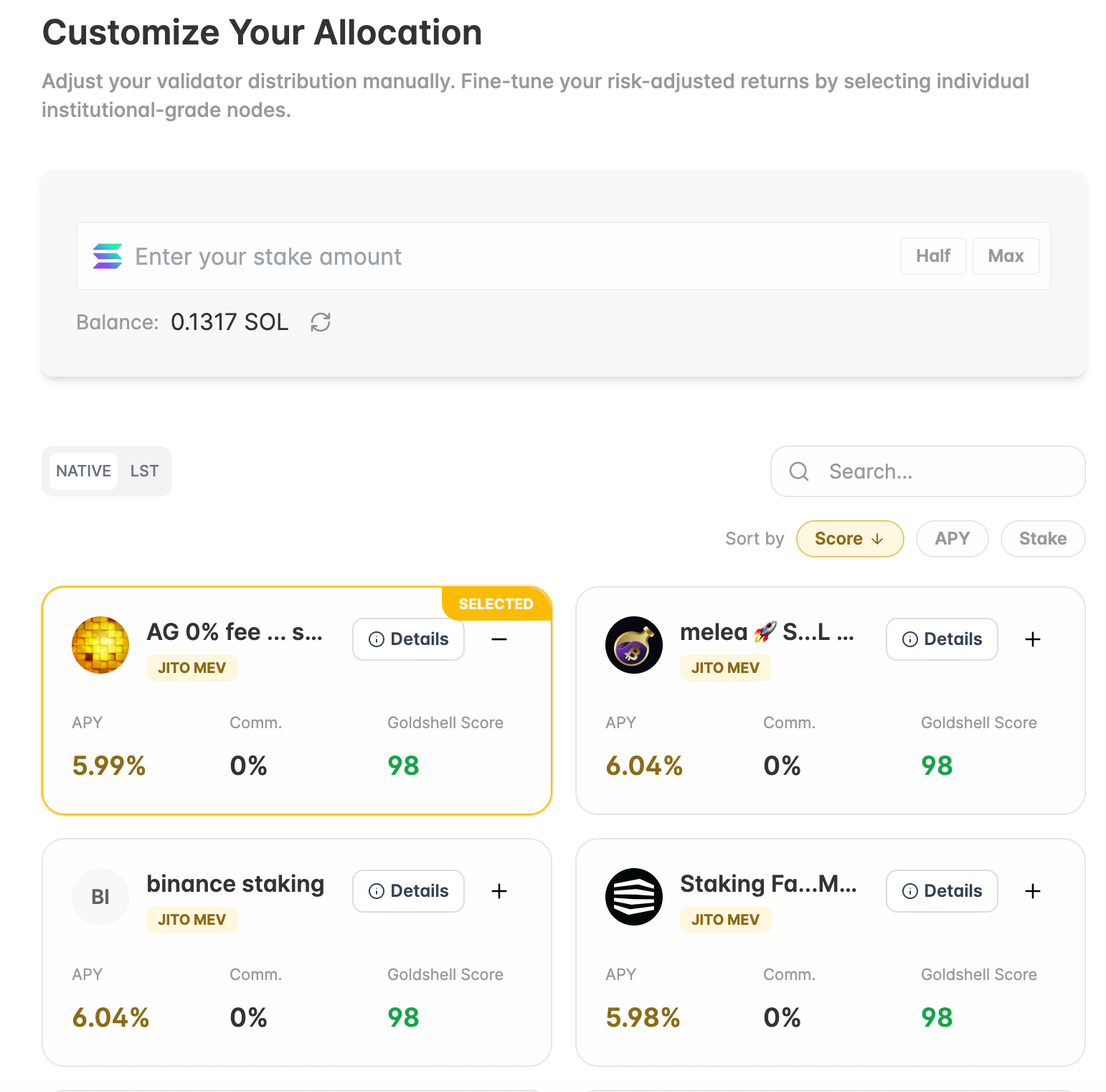
- In the NATIVE tab, choose one or more validators. You can search, sort by Score, APY, or Stake, and click Details to review validator information before selecting.
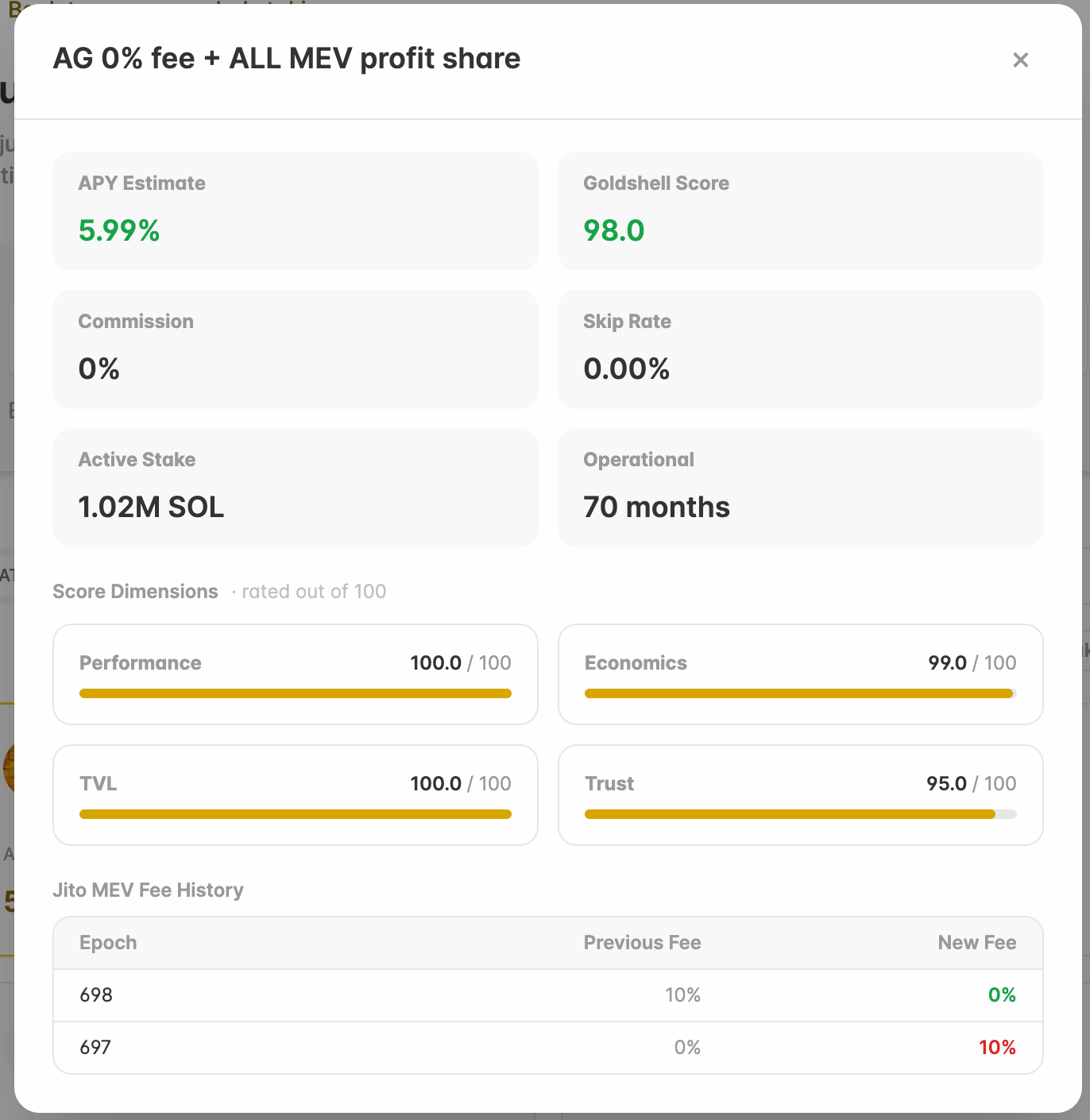
- View validator details.
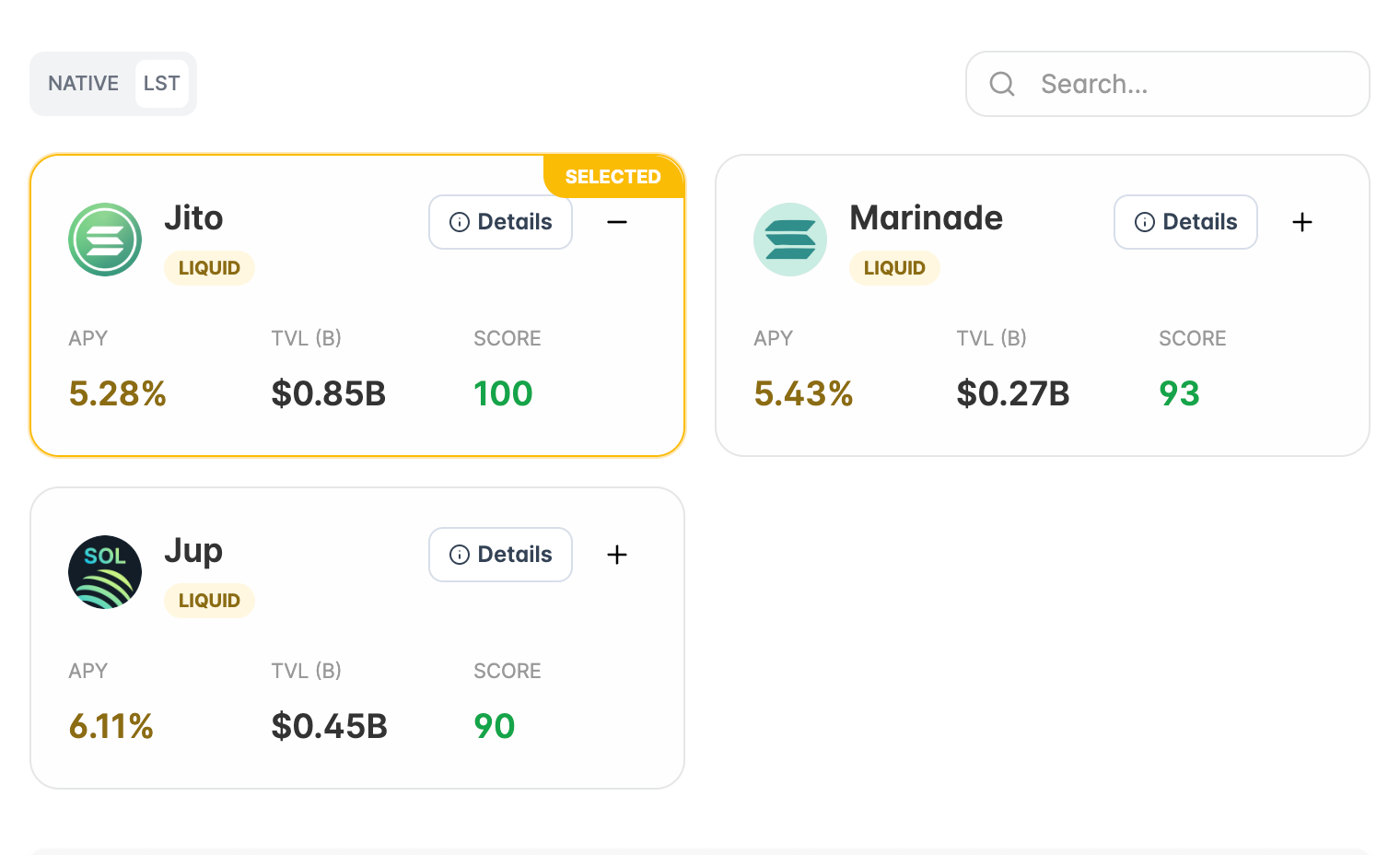
- In the LST tab, choose one or more liquid staking tokens if you want part of your allocation to be liquid.
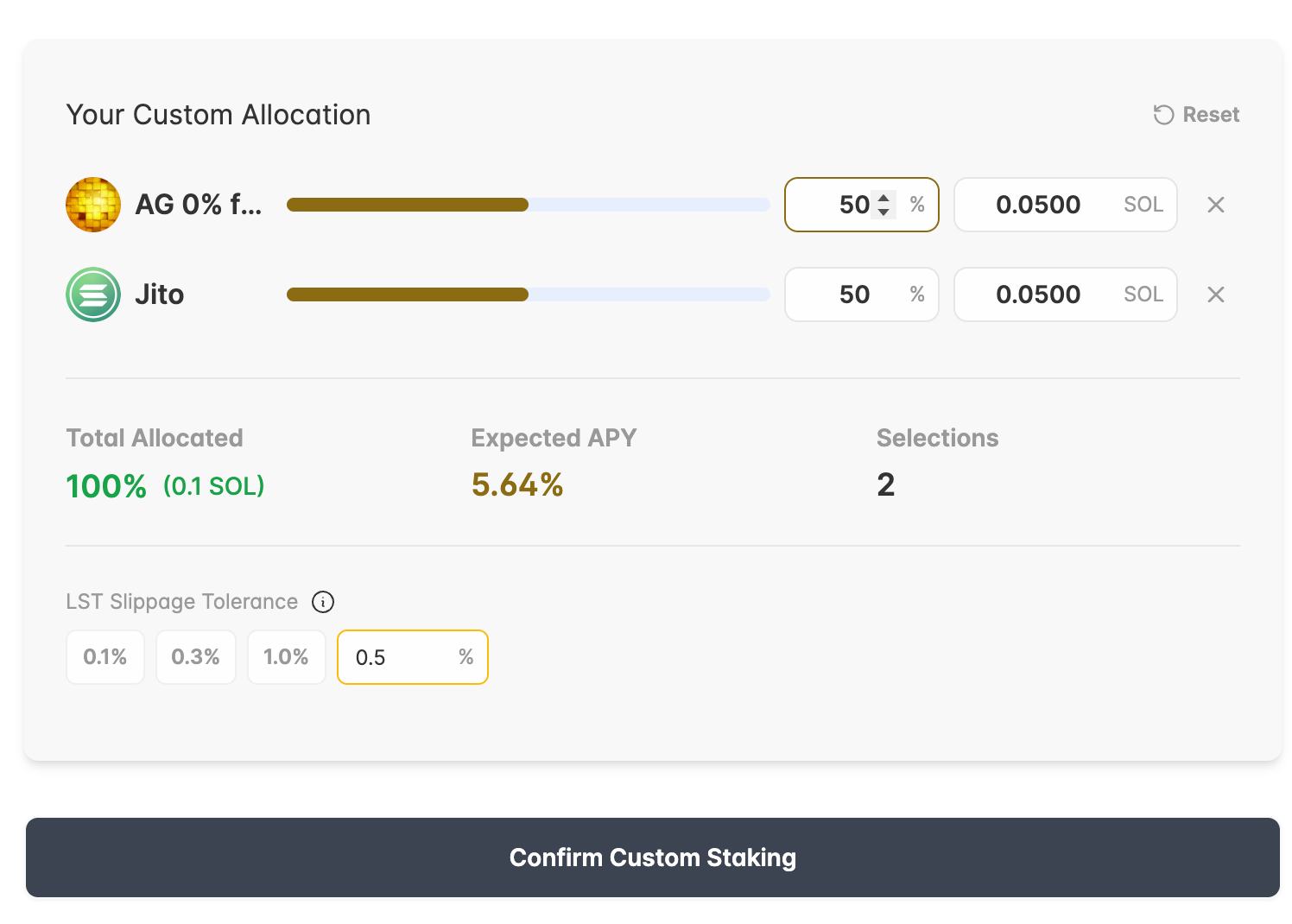
- Review your custom allocation. Adjust each percentage or SOL amount as needed.
- Set the LST Slippage Tolerance if your allocation includes liquid staking tokens.
- When the total allocation reaches 100%, click Confirm Custom Staking and confirm the transaction in your wallet.
IV. View Your Staking Info
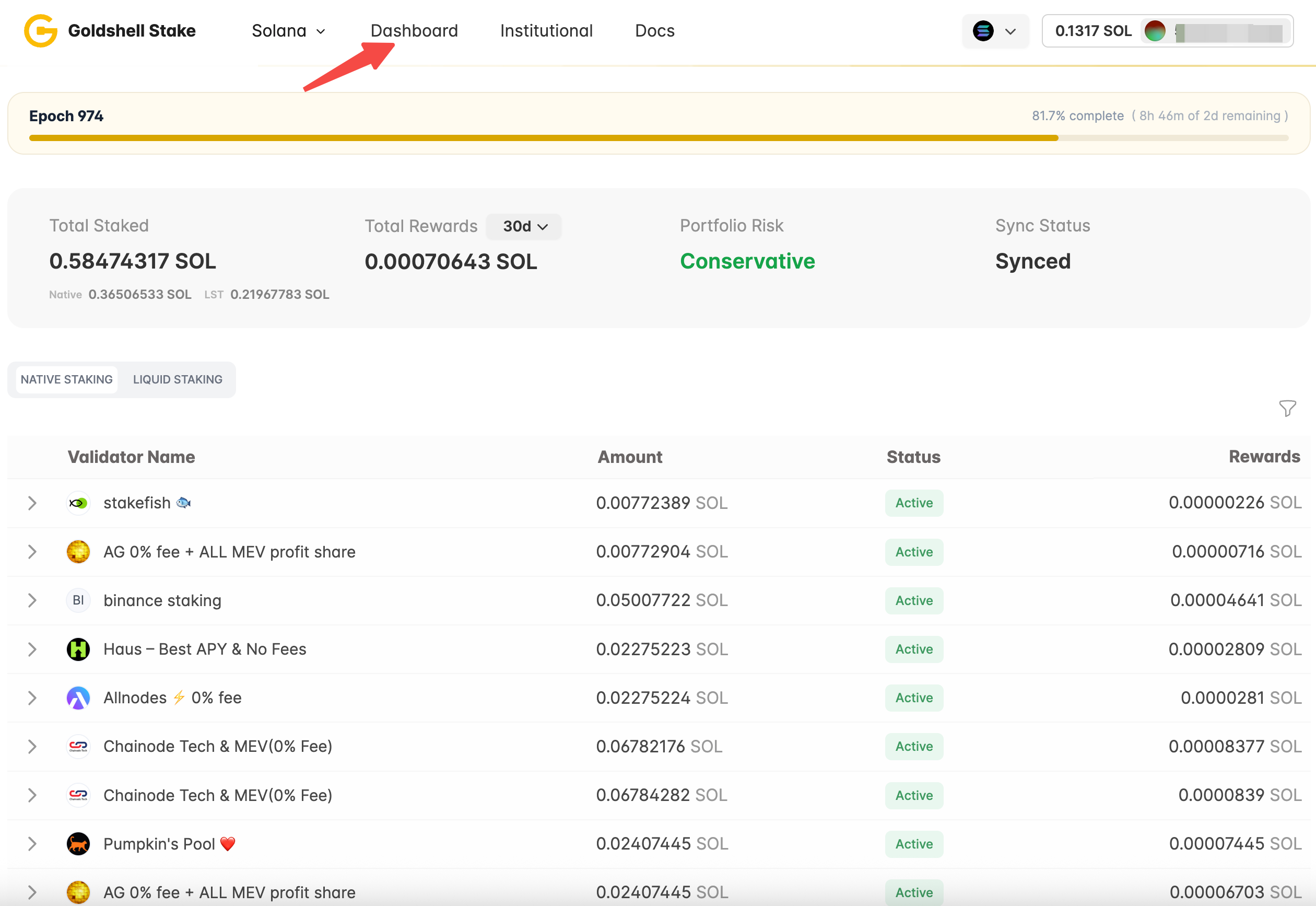
- Go to Dashboard to view your Solana staking portfolio.
-
Use NATIVE STAKING to review validator positions, status, amount, and rewards.
-
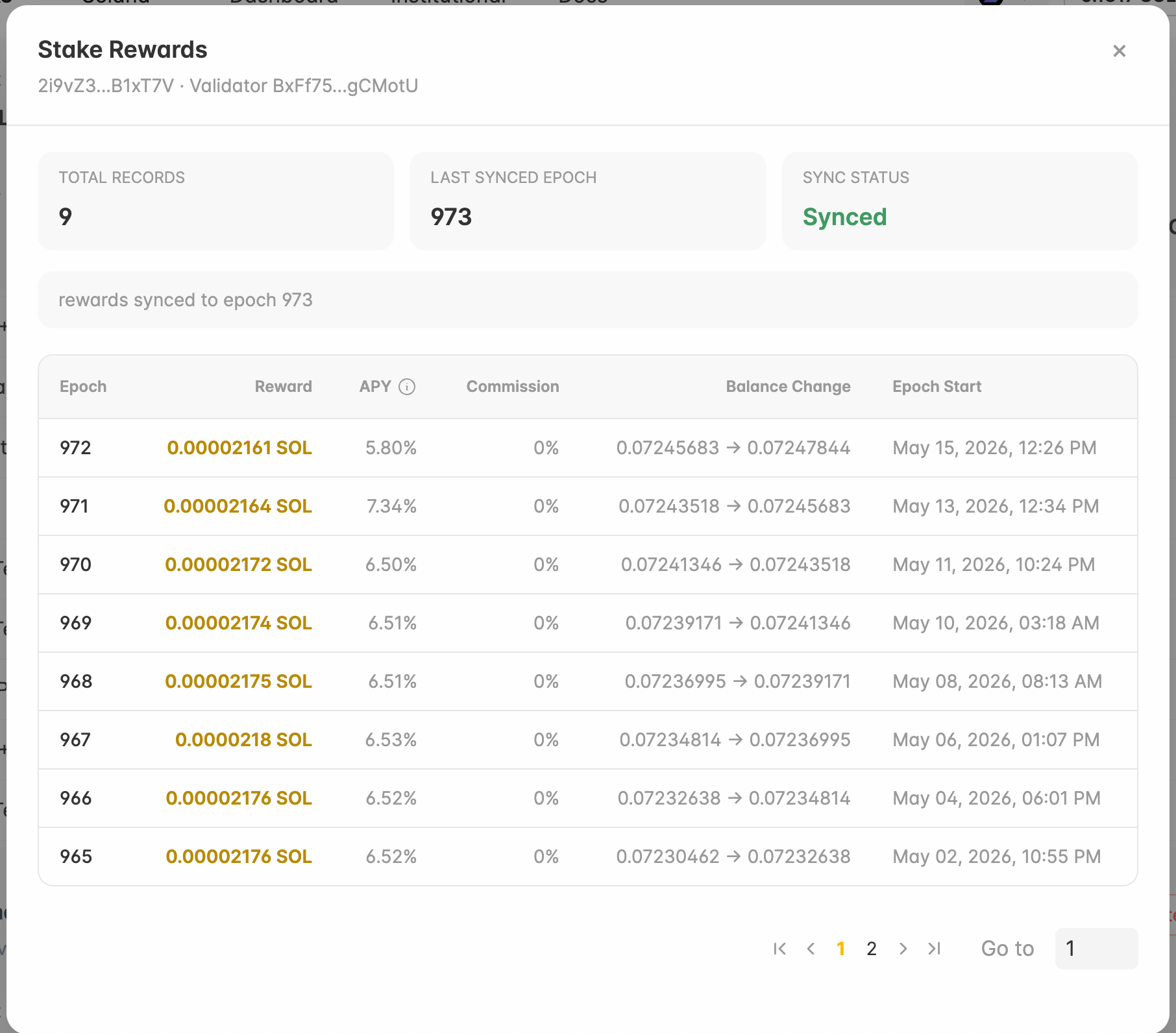
Click Rewards to view the reward history for a native staking position.
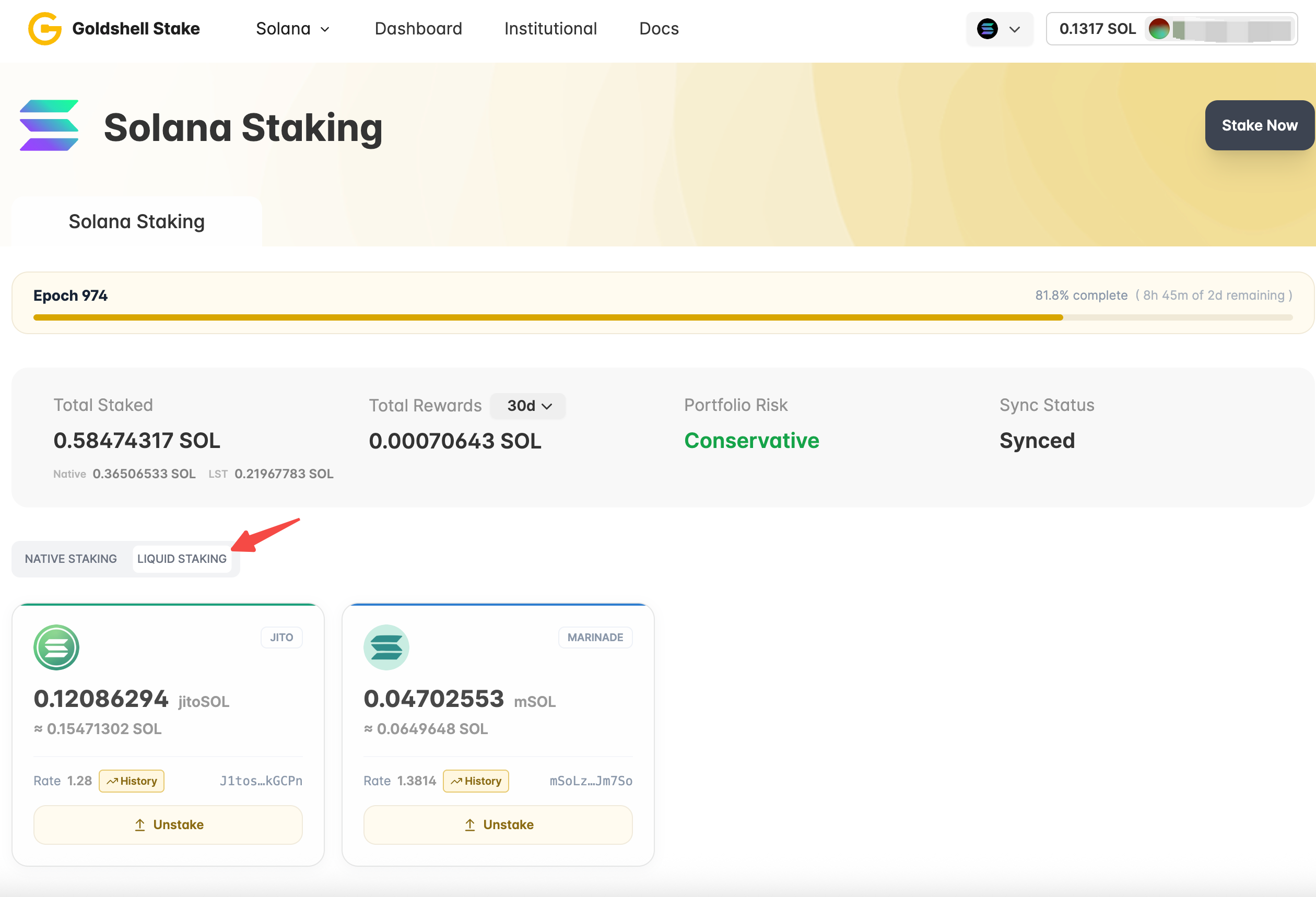
- Use LIQUID STAKING to review your LST positions and history.
V. To Unstake
Native Staking
- In Dashboard, open the NATIVE STAKING tab.
- Expand the validator row you want to unstake.
- Click Deactivate and confirm the transaction in your wallet.
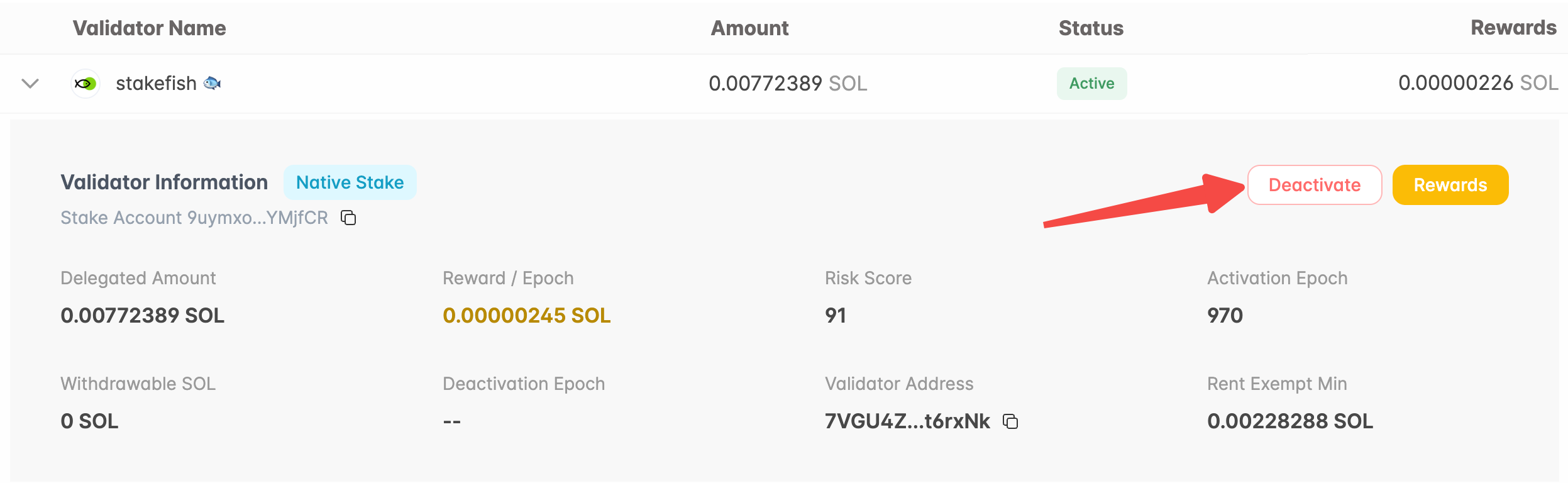
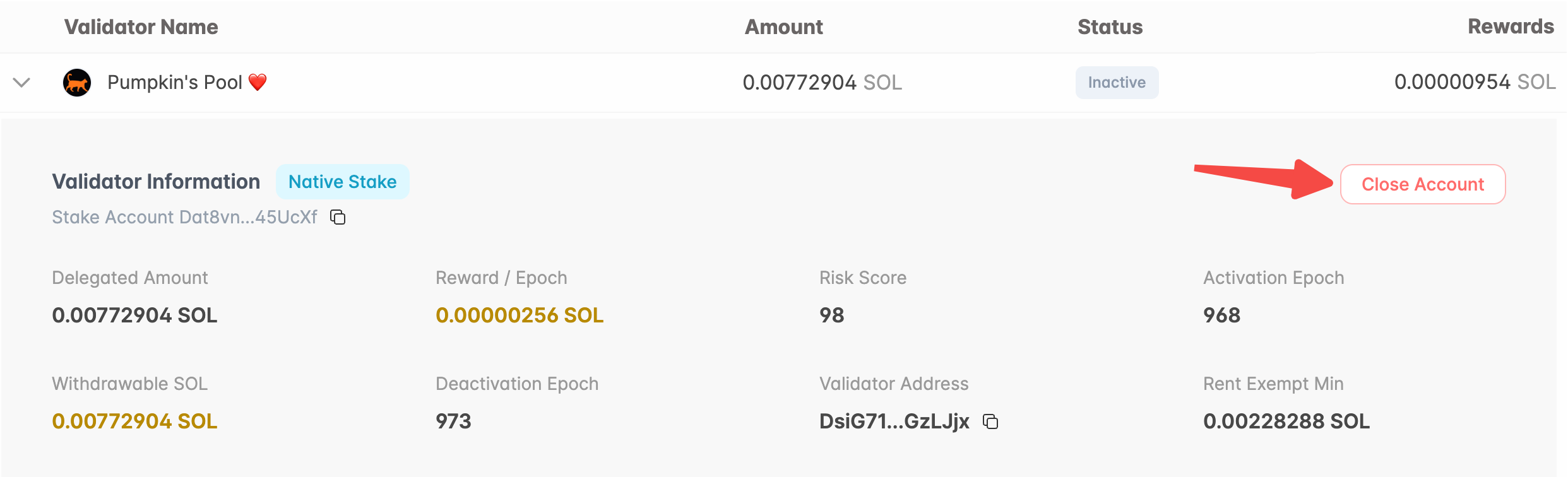
- After the stake account becomes inactive, expand the row again and click Close Account to withdraw the available SOL.
Liquid Staking
- In Dashboard, open the LIQUID STAKING tab.
- Click Unstake on the LST position you want to redeem.
- Review the amount and rate, then confirm the transaction in your wallet.